Medical and Aesthetic Laser Maintenance Records: What Clinics and Distributors Should Track
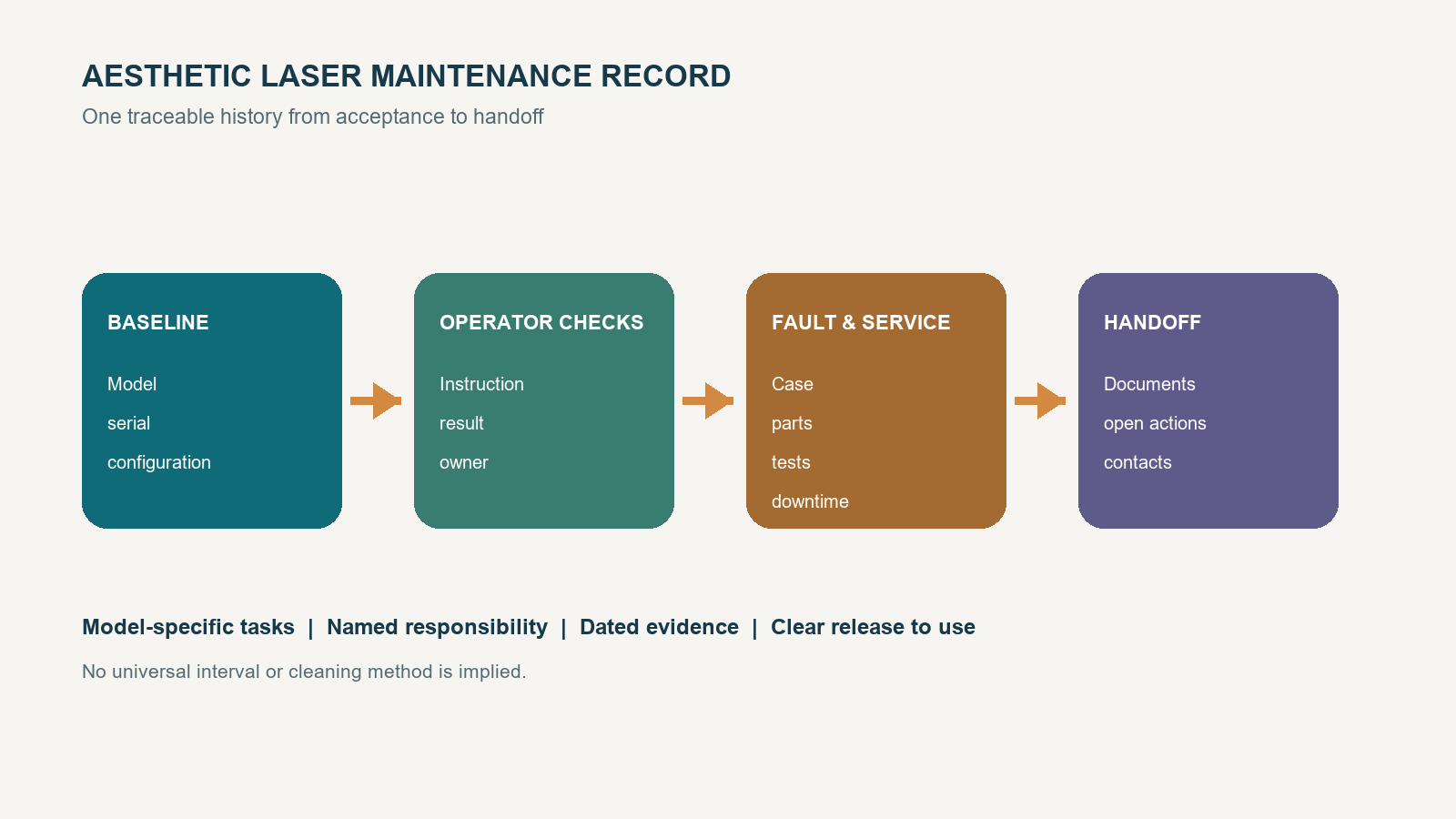
Medical laser maintenance and aesthetic laser equipment maintenance both start with a reliable record, not a generic service interval. Clinics need to know which checks apply to a particular machine and who completed them. Distributors need the same history to diagnose a fault, order the right part, and hand the equipment over without losing its configuration baseline.
The record should follow the exact model documentation and the support roles agreed for that market. The word “medical” is not a blanket classification for every product in every destination market; product status and applicable documents must be confirmed for the exact model and intended market. The record should not invent a universal cleaning product, calibration date, water-change schedule, filter interval, or parts lifetime.
Start the maintenance record before purchase
A buyer can define the record structure before choosing a machine. For medical laser maintenance, that early structure helps separate model identity, market documents, user tasks, and authorized service work before delivery. It also exposes missing information while there is still time to ask the supplier, instead of discovering after delivery that no one recorded the software version, included handpieces, acceptance results, or service contact.
The World Health Organization's 2025 guidance on inventory and maintenance management information systems for medical devices connects procurement and reception with inventory, training, maintenance, and eventual decommissioning. Its suggested information includes identity, maintenance activities and results, downtime, personnel, training, vendor details, service requests, documents, and historical reports. A clinic can use that framework without claiming that every field is a universal legal requirement.
That structure also creates a medical equipment service history that can follow the asset through support, relocation, resale, or retirement. The record is useful because it preserves what happened and what evidence accompanied the decision, not because one template automatically satisfies every organization or jurisdiction.
Before issuing a purchase order, decide:
- where the master record will live;
- which unit identifier will connect the record to the label and documents;
- who may enter operator checks, service actions, and approvals;
- which supporting files will be attached rather than summarized; and
- how the clinic and distributor will exchange the record during support.
This turns laser maintenance records into part of equipment acceptance rather than an afterthought.
Separate operator checks from service work
A record needs a role field because a completed task is meaningful only when the reader knows who performed it and under which instruction. The supplier should map tasks to the current user manual, servicing information, training scope, and local rules.
Operator entries
Operator entries can capture the checks and care steps that the supplied user instructions assign to trained users. Record the instruction reference, date and time, equipment state, observation, action, and operator identity. If an unexpected condition appears, the entry should show whether use stopped and who received the escalation.
Do not turn examples into a universal checklist. External surfaces, handpieces, cooling status, water, filters, optics, warning messages, cables, or facility conditions belong in the record only when they apply to the model and the user is instructed to check them.
Authorized service entries
Service entries cover work outside the approved operator scope. The record should identify the service provider, technician, service reference, diagnosis, action, parts, software change, verification result, and release-to-use decision. It should also retain the work order or report supplied by the service provider.
The FDA's laser compliance guide distinguishes user information from servicing information and notes that service procedures must be clearly identified. That supports a practical purchasing question: does the supplier provide the correct user and servicing information for the exact product, and are the boundaries understandable to the people who will support it?
Establish one machine identity and configuration baseline
The baseline is the answer to “which machine are we discussing?” It prevents a fault report for one configuration from being matched to a different product family, accessory set, or software state.
Record these fields at reception and confirm them during acceptance:
| Baseline field | What to capture | Why it matters |
|---|---|---|
| Product identity | Manufacturer, exact model, serial number, label photographs | Connects the unit to its documents and service history |
| Configuration | Laser source, handpieces, scanner or delivery components, supplied accessories | Prevents an option from being mistaken for standard equipment |
| Software | Installed version, language, access roles, update state | Gives support a known starting point |
| Site | Facility, room, electrical supply, and applicable environmental limits | Helps separate equipment faults from site conditions |
| Documents | User instructions, servicing information, packing list, training record, and market files received | Shows what was available at handoff |
| Acceptance | Inspection date, checks performed, results, open items, and approver | Defines the starting condition |
| Support route | Clinic owner, distributor contact, service provider, escalation channel | Prevents a fault from stalling between parties |
Keep the original baseline intact. Log later changes as dated events so a technician can reconstruct which configuration was operating when a fault occurred.
Build a model-specific maintenance record
An aesthetic laser maintenance checklist should be a controlled set of fields tied to the manufacturer's current instructions. A checkbox without an instruction reference can hide more than it proves.
Routine inspection and care
For every applicable task, capture the task name, source document and revision, required frequency or trigger, completion date, observation, action, and person. Use “not applicable” only when the model documentation or configuration supports that choice. Do not enter zero, blank, or “done” when a result or exception needs explanation.
If the system uses cooling water, a filter, an optical surface, a replaceable tip, or another condition-sensitive item, record the actual field defined for that system. The record may need a water level or temperature observation for one machine and no water field for another. The same rule applies to cleaning products and methods: copy the approved instruction, not a habit from a different device.
Software, accessories, and facility conditions
Record software and firmware changes with the previous version, new version, installer, authorization, reason, and post-change check. Track a handpiece or accessory by its identifier when the supplier uses one. If room temperature, humidity, ventilation, voltage, grounding, or another facility condition is stated in the product instructions, capture an out-of-range event and the action taken.
These details make the history diagnostic. They help a support team see whether the symptom began after a component swap, update, relocation, or site event without pretending that correlation proves the cause.
Connect faults, downtime, parts, and release to use
A fault record should preserve what the operator observed before troubleshooting changes the state. Capture the timestamp, displayed code, factual symptom, active mode or accessory, recent change, immediate safe action, photographs or files, and person notified. Avoid diagnosing the cause in the first entry unless a qualified person has confirmed it.
Continue the same case through resolution:
- assign a case or work-order number;
- record when the unit became unavailable and when it returned to service;
- log the diagnosis and who made it;
- identify each part by name and part number where available;
- record adjustments, software changes, tests, and results;
- attach the service report and evidence requested by the support route; and
- name the person who authorized return to use under the applicable process.
Downtime should show status changes rather than one rough total. A unit may be waiting for diagnosis, buyer approval, a part, shipping, technician access, or final verification. Clinics can use those stages to plan appointments. Distributors can use them to find recurring handoff or parts bottlenecks without promising a response time that has not been agreed.
Hand over a record that the next team can use
The distributor-to-clinic package should make the first entry easy and the first escalation unambiguous. Supply the verified identity baseline, included-item list, current user documents, applicable service contact, training record, acceptance results, open actions, and a blank record template mapped to the model documentation.
Before ordering, ask the supplier:
- Which exact user and servicing documents accompany this configuration?
- Which checks belong to the operator, distributor technician, or another authorized service party?
- Which tasks are triggered by time, operating count, condition, fault, or software notice?
- Which fluids, cleaning products, filters, parts, tools, and verification equipment are specified, if any?
- How are error logs, photographs, software versions, and service files exchanged?
- What information is required before remote diagnosis or a parts request begins?
- How are replaced parts, unresolved faults, and return-to-use results documented?
- Which support statements are contractual, and which remain subject to the final quotation or service agreement?
MQLASER's aesthetic laser equipment range gives buyers a place to identify the product line before asking for model-specific documents. Distributors can also review the dealer support route when defining who will own training, records, parts communication, and escalation.
The medical laser maintenance decision—and the same decision for aesthetic equipment where that classification does not apply—is not whether a supplier has a polished checklist. It is whether the exact configuration can move from acceptance to routine use, fault handling, service, and handoff without losing its evidence trail. Use the maintenance record as a pre-purchase test: unresolved ownership or missing documentation remains an open buying condition.
When you have the model and buyer role, request the maintenance documents and written support scope needed to build the final record.
FAQ
Q: How often should an aesthetic laser be serviced?
A: Use the interval or trigger stated in the current documentation for the exact model and configuration. Do not copy a schedule from another laser, clinic, or online checklist.
Q: Can a clinic keep maintenance records in a spreadsheet?
A: A spreadsheet can work if it preserves identity, access, dates, instructions, results, attachments, changes, and case status. A larger fleet may need a system with permissions, reminders, audit history, and document control.
Q: What should happen when a maintenance field does not apply?
A: Mark it not applicable and record the model or configuration basis. That is more useful than leaving the field blank, which may look like a missed task.
Q: Should the distributor keep a copy of the clinic's full record?
A: The parties should define which technical and service records are exchanged, who controls them, and how confidential or patient-related information is excluded. A service case needs enough equipment history for support, not unrelated clinic data.
Q: How long should laser maintenance records be retained?
A: Set retention from applicable local rules, contracts, manufacturer guidance, insurance needs, and the organization's record policy. Do not assume one global period. Keeping the service history connected to the asset throughout ownership is operationally useful.